Show it once. Share it clearly.
Capture screen, camera, microphone, and supported system audio in the browser—then download locally or turn the result into a searchable, shareable workspace asset.
What Record is for
Use Record when a customer needs to capture a product walkthrough, support reproduction, async update, customer demo, training clip, or bug report. Record is optimized for a browser-based capture flow, workspace ownership, share links, comments, processing status, and downloadable outputs when exports are available.
Core workflow
- Add a title, then choose Screen + cam, Screen, or Camera.
- Confirm up to three screens, windows, or tabs plus camera, microphone, and supported browser-tab audio sources.
- Choose the screen layout and primary source; position, resize, shape, crop, or mirror the camera; then check the final canvas and countdown.
- Pause, finish, or use the mini controller while Clientana protects the local copy and progressively uploads eligible workspace captures.
- Use pen, highlighter, arrow, spotlight, text, cursor emphasis, click zoom, or manual zoom while presenting when useful.
- Open the private recording workspace as soon as the save finishes, or open the editor to trim and add timed visual annotations.
- Save the private editor project or export a new edited workspace copy; then review transcript, summary, chapters, comments, engagement, clips, thumbnails, and versions.
- Create the viewer link and choose comments, downloads, transcript visibility, branding, password, and CTA settings.
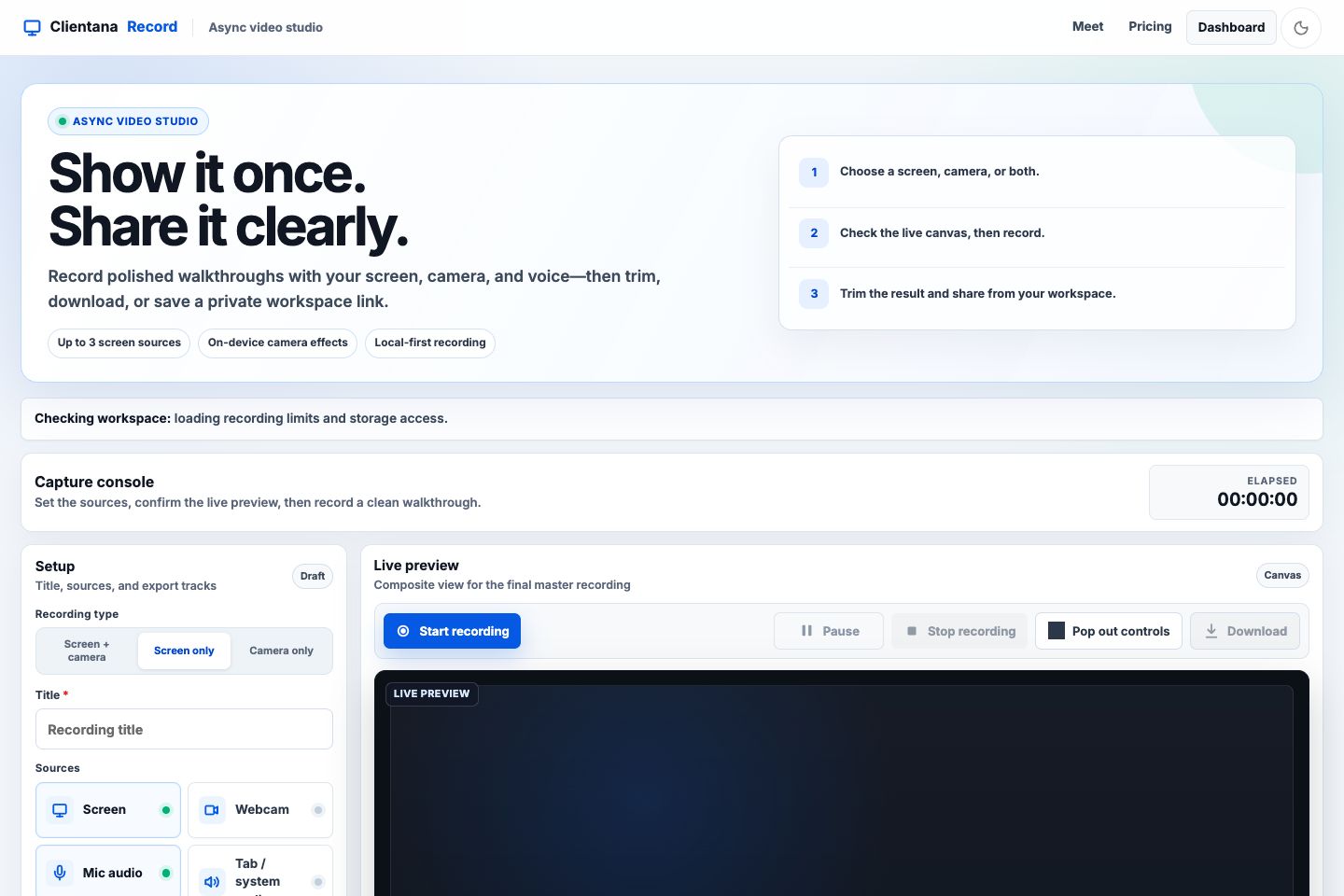
- 1Choose a mode
Start with Screen + camera, Screen only, or Camera only, then adjust individual sources.
- 2Confirm plan behavior
The workspace status explains recording limits and whether cloud storage is available before capture.
- 3Preview the final canvas
The selected multi-screen layout, primary source, camera treatment, annotations, cursor emphasis, and zoom are composited into the compiled recording.
- 4Keep a local result
Guest and free sessions remain useful because local download does not depend on workspace storage.
The Loom-style web workflow
Record and imported video use the same private owner page at /recordings/:id. The owner can change details, search or replace the transcript, regenerate intelligence, trim the playback range, arrange chapters, define clips, choose thumbnails, inspect viewer conversation and engagement, and open advanced versioned exports without changing the original source.
The focused browser editor saves a private, revisioned project to the source recording for workspace users. Export creates a new private recording linked back to the source, while a local IndexedDB recovery copy remains available. The source video is not overwritten.
The public viewer page supports playback speed, seekable chapters and transcript lines, threaded timestamped comments and reactions, optional downloads, a workspace CTA, and progress/completion analytics. Sharing is separate from saving: the workspace copy stays private until the owner creates a viewer link.
Browser capture boundaries
Browser-tab audio works when the browser exposes an audio track and the user enables tab audio in the share picker. Full-computer audio support varies by browser and operating system. Each additional screen/window/tab requires its own user-approved browser picker interaction. Pointer emphasis and live annotations track activity over Clientana’s Record stage; browser security does not allow a normal web page to globally observe or draw over unrelated applications. If the platform does not expose an audio track, Record keeps the screen/camera/microphone recording safe and explains the limitation instead of silently promising unavailable system audio.
What support should ask first
Ask for the recording link, workspace name, affected account email, browser, operating system, approximate capture time, and the visible status on the recording page. Do not ask customers for passwords, tokens, API keys, browser session cookies, or raw provider credentials.
Product boundaries
Record issues are usually about capture permission, upload reliability, processing state, library visibility, share access, comments, metadata, or export availability. If the customer is asking about a live room, participant audio, captions during a call, or translation during a call, route the case to Meet.