
Client Rooms
Host client meeting rooms
Send polished browser-based rooms for reviews, onboarding, tutoring, coaching, and quick team syncs.
Start a roomClientana gives teams lightweight meeting links, async screen videos, translated captions, transcripts, paid cloud storage, branded sharing, and custom domains in one clean workspace. Guests never need an account.
15 min guest mode · 30 min free account · Unlimited paid workspace
Use Clientana for
Use live meetings when the conversation needs a room. Use async recording when the answer should become a reusable asset. Guests never need an account either way.
Capture screen, webcam overlay, microphone, system audio, individual sources, and local downloads from the browser.
Hosts create links by plan. Guests join without accounts, request admission, and can choose caption languages.
Hosts and guests can choose spoken and caption languages, keep translated caption logs, and download transcripts.
Transcript text powers search, generated titles, summaries, chapters, and action items for paid workspace videos.
Paid workspaces can connect, verify, and use branded share URLs and custom domains.
Free users download locally. Paid teams save to a workspace, share securely, organize folders, and publish branded URLs.
Move from live conversation to reusable video without switching tools. Meet, record, translate, organize, and share from one workspace.
Start a public meeting link without sign in, or record your screen, webcam, microphone, and system audio from the browser.
Live captions, translated caption logs, transcripts, summaries, chapters, and action items keep the work searchable.
Free users download locally. Paid teams save to a workspace, share securely, organize folders, and publish branded URLs.
Use Clientana as a free screen recorder for YouTube videos, tutorials, product walkthroughs, QA bug reports, support handoffs, client reporting, analytics reviews, and anything that is easier to show than explain.
YouTubers can record tutorials, reactions, walkthroughs, demos, and presentation-style videos with screen, webcam, and microphone. Teams can also capture QA reports, client analytics reviews, support handoffs, and sales follow-ups.
Record how-to videos, product demos, presentations, walkthroughs, and explainers.
Show reproduction steps and context so developers can fix issues with less back-and-forth.
Walk through dashboards, campaign performance, analytics, and recommendations.
Send personal follow-ups, onboarding videos, answers, and reusable client resources.
Create a free video chat link in seconds. Closed captioning is automatically enabled, translation features are ready for multilingual calls, and guests can join without creating an account.
Let each person choose the caption language they want to see during the conversation. Closed captions are on automatically, and translation is ready for multilingual calls.
Clientana is not just a call link. Hosts and guests can choose spoken and caption languages, keep translated caption logs, download transcripts, and turn meeting context into reusable video intelligence.
Keep meetings, recordings, storage, sharing, AI insights, and workspace controls together so every conversation can become a useful asset.
Hosts create links by plan. Guests join without accounts, request admission, and can choose caption languages.
Capture screen, webcam overlay, microphone, system audio, individual sources, and local downloads.
Guest and free users can still use the product, but recordings must be downloaded locally unless they upgrade.
Transcript text powers search, generated titles, summaries, chapters, and action items for paid workspace videos.
Give every client video a professional, on-brand home. Paid workspaces can connect, verify, and publish through their own custom domains.
_clientana.videos.customer.com = clientana-verification-tokenvideos.customer.com -> app.clientana.comcustomer.com -> your configured VPS IPv4 addressA cleaner way to host live rooms, record walkthroughs, translate conversations, and turn every important moment into a reusable video asset.
Send polished browser-based rooms for reviews, onboarding, tutoring, coaching, and quick team syncs.
Start a room
Show a process once, then share it forever with transcripts, chapters, summaries, and branded links.
Record now
Record reproduction steps, expected behavior, actual behavior, and the context developers need.
Create report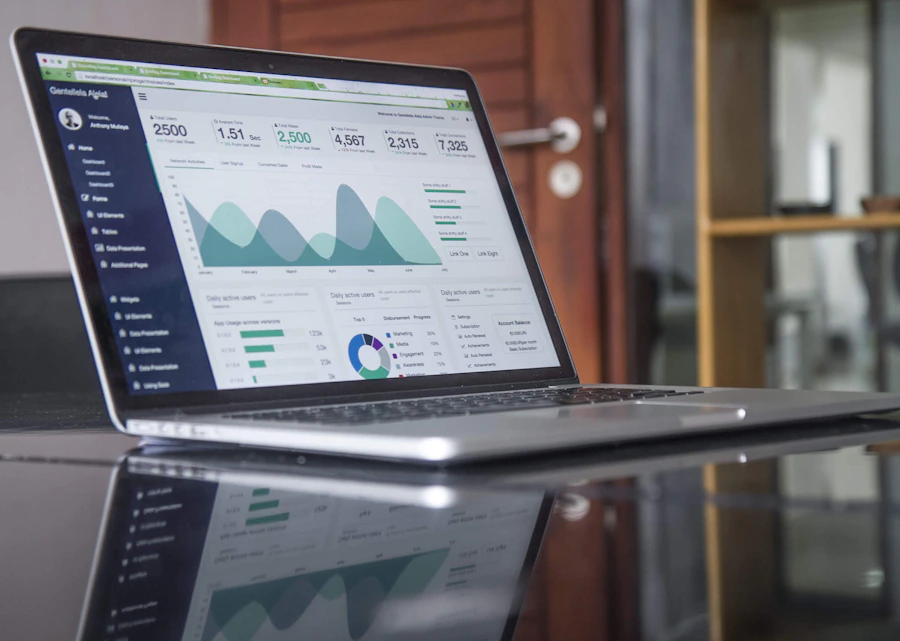
Explain dashboards, campaign performance, analytics, and recommendations without another meeting.
Share update
Let every participant read captions in the language they prefer during live meetings.
Try captions
Answer questions once with a branded video your customer can replay whenever they need it.
Send answer
Record tutorials, demos, presentations, reactions, walkthroughs, and how-to videos.
Make tutorial
Create a free link for family check-ins, remote coaching, and friendly catch-ups.
Start freeChoose the plan that fits how your team meets, records, stores, and shares video.
Continue as a guest for quick sessions, or sign in when you want longer free meetings, saved settings, workspace upgrades, and paid video intelligence.
Already have an account? Log in
By continuing, you agree to our Terms and Privacy Policy.
Clientana is built for teams comparing a Zoom alternative, Loom alternative, or Google Meet alternative because they need more than a call link. Host live client rooms, record walkthroughs, capture translated captions, generate searchable transcripts, create AI summaries, and share branded video links from one browser workspace.
Clientana can be used as a lightweight Zoom alternative for browser-based client meeting rooms, guest-friendly calls, automatic captions, recording, transcripts, and translated caption workflows.
Clientana works as a Loom-style screen recorder for product walkthroughs, tutorials, QA bug reports, support handoffs, and client reporting videos, with local downloads on free plans and cloud storage for paid workspaces.
Clientana combines live meeting rooms, async screen recording, translated captions, transcripts, summaries, branded links, folders, and custom domains in one workspace so teams do not have to stitch together separate meeting and video tools.
Create a meeting without sign in, record locally for free, and move to a paid workspace when you need storage, branded links, custom domains, and team collaboration.
No credit card · Free to start · Guests never need an account